How to Size DTF Designs for Different Garments
DTF transfer sizing should start with the actual printable area of the garment, not only the size printed on the tag. Two shirts labeled Large can have different widths, necklines, seams, pockets, and proportions.
Start with the garment, then size the artwork
- Lay the garment flat without stretching it.
- Measure the usable width between seams, armholes, pockets, zippers, or other obstacles.
- Choose how much of that area the artwork should occupy.
- Keep the artwork proportional; do not stretch it to force a width or height.
- Make a paper or on-screen mockup before ordering a large run.
Adult T-shirt starting points
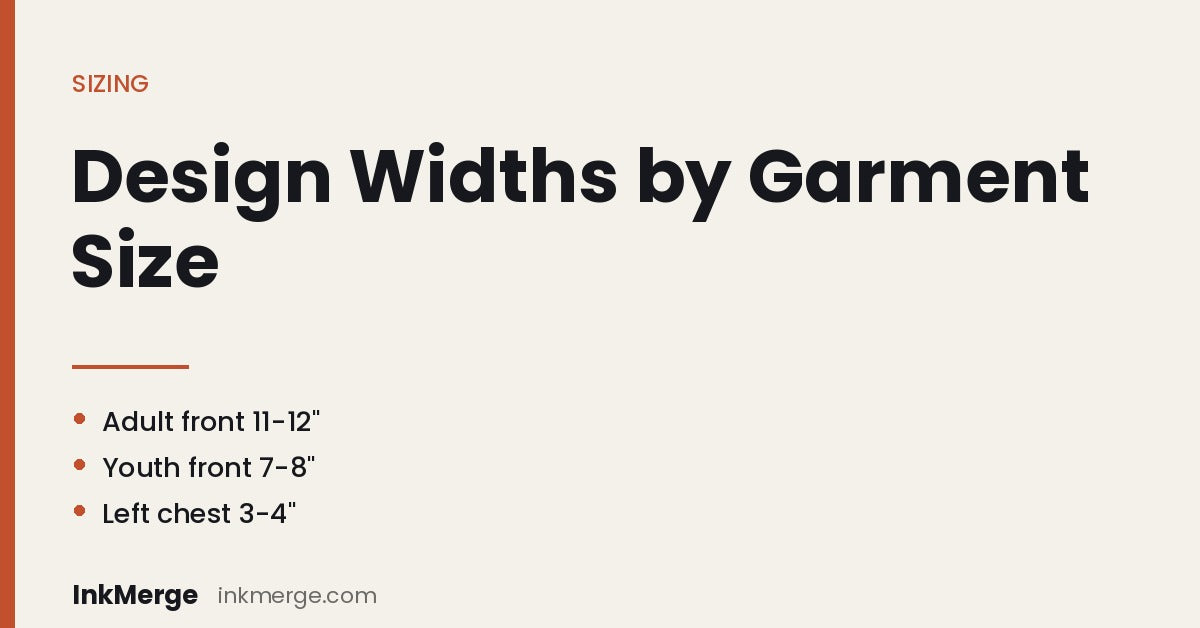
For many standard adult tees, a centered front design often falls roughly in the 9–12 inch width range. Smaller shirts usually need the lower end of that range; larger shirts can support a wider design. Treat these as starting points, not universal maximums.
A left-chest mark is commonly much smaller—often around 3–4 inches wide—but the correct position depends on the garment cut, neckline, and wearer size.
Youth and kids
Youth garments have shorter and narrower printable areas. A design that looks balanced on an adult shirt can overwhelm a youth tee. Measure the shirt first and scale the artwork down proportionally. Common youth front designs are often several inches narrower than adult versions.
Baby onesies and infant bodysuits
Infant garments have a very small usable chest area plus snaps and seams near the bottom. Keep artwork in the upper torso and away from closures. A small front design around 3–5 inches wide may be appropriate on many infant sizes, but verify against the actual bodysuit before ordering.
Hoodies and sweatshirts
Kangaroo pockets, zippers, thick seams, and hoods reduce or interrupt the printable area. On a pullover hoodie, check the distance between the neckline and pocket before choosing a tall front design. For back prints, account for where the hood rests when worn.
Sleeves
Sleeve artwork must fit between seams and follow the sleeve's taper. Measure the usable width at the exact height where the transfer will sit. Long vertical designs should be tested on the garment because the sleeve narrows toward the cuff.
Tote bags and other flat items
Measure the panel itself, not the overall product dimensions. Handles, seams, pockets, and gussets can reduce the truly flat press area. Center the artwork within the usable panel rather than the full outer dimensions.
One transfer size or size-specific versions?
One-size approach
A mid-range transfer can simplify a group order, but it may look relatively larger on small garments and smaller on plus sizes.
Size-specific approach
For a more consistent visual proportion, create two or three artwork sizes—for example a small/youth version, a standard adult version, and a larger adult version. Keep the artwork proportions identical unless the design itself needs a different layout.
How to center a front design
Use the garment's actual centerline. A temporary fold can help identify center, but confirm that the garment is laid straight and that side seams, neckline, zipper, or pocket do not make the visual center look different from the mathematical center.
How far below the neckline?
There is no single placement distance that works for every garment. Neckline depth, design height, shirt size, and intended style all matter. Position the design visually first, measure it, and document the placement if multiple garments need to match.
Dark vs. light garments
Garment color does not change the physical dimensions of the transfer. It can change perceived contrast, so check the artwork on the intended color, especially when the design includes white, very light colors, or transparent effects.
Before ordering a production run
- Confirm the exact garment and size range.
- Measure the usable print area on at least the smallest and largest garments.
- Mock up the transfer at actual size.
- Check text readability at the intended print size.
- Test a sample when using an unfamiliar garment or placement.
Common sizing questions
Can I use the same transfer on S through 3XL?
You can, but the visual proportion will change. If consistent scale matters, use more than one transfer size.
What size should I use for a baby onesie?
Measure the upper chest between seams and closures first. Many infant projects use a small design in roughly the 3–5 inch range, but the garment—not the age label—should determine the final size.
What if my artwork is too wide?
Scale it down proportionally or revise the layout. Do not stretch or squeeze artwork because that changes the design proportions.
Choose a DTF transfer size · Build a gang sheet · Read application guidance
InkMerge Pro
Need the transfer, not the shirt?
Browse ready-to-press DTF designs or upload your own artwork. Current product pricing and shipping details are shown on the product page and at checkout.