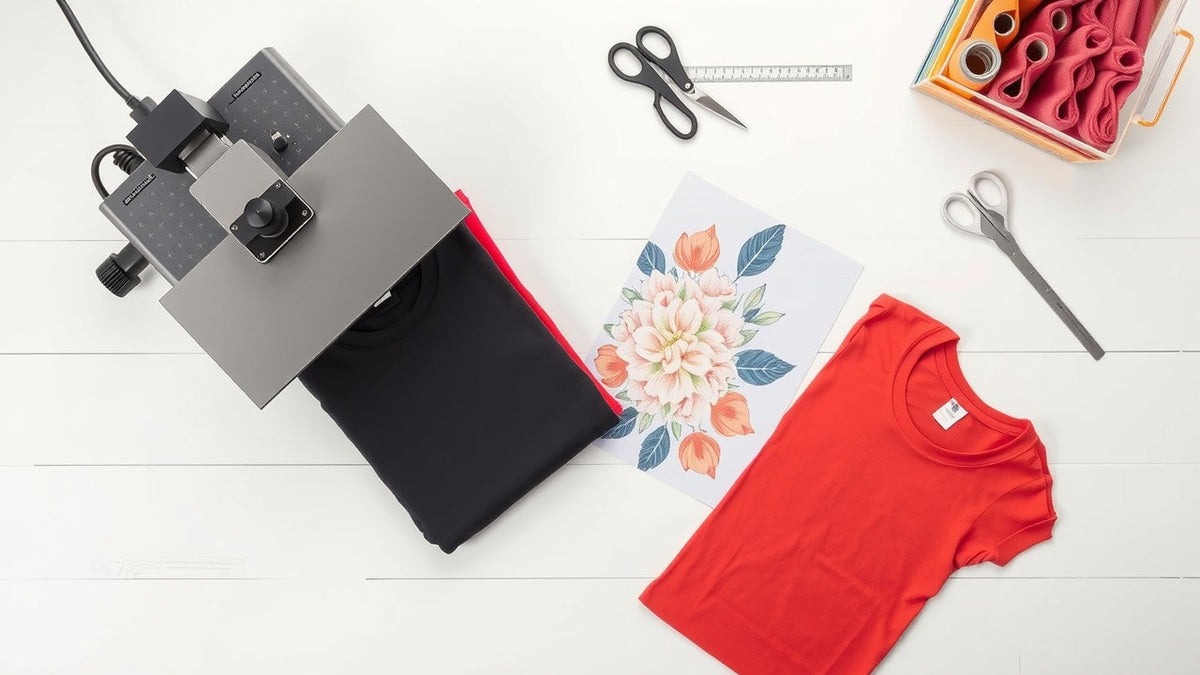
Whether you want to create personalized t-shirts for a family event, launch a custom apparel brand, or simply make a one-of-a-kind tee for yourself, knowing how to make custom shirts opens up a world of creative possibilities. Whether you want to learn how to make custom t-shirts for every occasion or make your own custom apparel brand, this guide covers it all. The great news is that you do not need expensive equipment or professional experience to get started.
In this complete guide, we walk you through every printing method available in 2026, compare costs and quality, and show you exactly how to create custom t-shirts at home or through a professional service like InkMerge. By the end, you will know which method fits your needs, how to prepare your t-shirt design, and where to order high-quality custom DTF transfers that make the process simple and affordable.
Understanding Custom Shirt Printing Methods
Before you start designing, it helps to understand the different ways you can print custom t-shirts. Each printing method has strengths and trade-offs when it comes to cost, quality, minimum order quantities, and ease of use at home. Some methods like dye sublimation are limited to light-colored polyester fabrics, while others like DTF work regardless of the number of colors in your design.
DTF Transfers: The Easiest Method for Beginners
Direct-to-Film (DTF) transfers have become the most popular way to make custom t-shirts without owning a printer. With DTF, a professional printer creates your design on a special film with a powder adhesive backing. You then apply the transfer to your shirt using a heat press or household iron.
DTF transfers work on virtually any fabric color and material, including cotton, polyester, and blends. There is no minimum order requirement when you use a service like InkMerge, which prints custom DTF transfers starting at just $0.02 per square inch with free shipping on orders over $99. The 24 to 48 hour turnaround means you can have your custom shirts ready in days.
Screen Printing: Best for Large Batch Orders
Screen printing requires creating a stencil (called a screen) for each color in your design, then pushing ink through the screen onto the shirt. This method produces vibrant, durable prints but has higher upfront costs because of the screen setup. Screen printing is most cost-effective for orders of 50 shirts or more where the setup cost is spread across many units.
For beginners making just a few custom shirts, screen printing requires purchasing screens, emulsion, a squeegee, and specialty inks. The learning curve is steeper compared to DTF transfers.
Heat Transfer Vinyl (HTV): Great for Simple Designs
Heat transfer vinyl involves cutting your design from sheets of colored vinyl using a Cricut or similar cutting machine, then pressing the vinyl onto the shirt with heat. HTV works best for text, simple logos, and single-color designs. Multi-color designs require layering multiple vinyl pieces, which can be time-consuming.
The advantage of HTV is that the materials are inexpensive and widely available. However, the finished product has a distinctly vinyl texture that some people find less comfortable than ink-based methods like DTF or screen printing.
Iron-On Transfer Paper: The Budget Option
Iron-on transfer paper lets you print your design on special paper using a standard inkjet printer, then transfer it to a shirt with a household iron. This is the cheapest way to make a custom-printed t-shirt at home, but the quality and durability are significantly lower than other methods. Iron-on transfers tend to crack and fade after just a few washes.
If you need a quick, one-time shirt for a costume or joke, iron-on transfer paper works. For anything you want to wear regularly, DTF transfers or screen printed shirts will last much longer.
How to Design Your Custom T-Shirt
Great custom shirts start with a great design. Whether you are a graphic design pro or a complete beginner, there are tools and strategies to help you create a t-shirt design that looks professional and prints beautifully.
Free and Paid Design Tools for Custom Shirts
You do not need expensive design software to create stunning custom t-shirts. Canva offers free t-shirt design templates that make it easy to start designing immediately. For more advanced work, Adobe Illustrator and Photoshop are industry standards. Free alternatives like GIMP and Inkscape provide similar functionality.
When creating your design, work in high resolution (at least 300 DPI) for the sharpest prints. Save your final file as a PNG with a transparent background for the best results with DTF and other transfer methods.
Many online design studio platforms like Canva also offer printable t-shirt templates that make the design process even easier.
T-Shirt Design Tips for Beginners
Keep your first designs simple. Bold text, clean icons, and limited color palettes look more professional than overly complex artwork. Consider the shirt color when designing. Dark shirts need a white underbase layer for colors to appear vibrant, which DTF transfers handle automatically.
Size your design appropriately. A standard front chest print is about 10 to 12 inches wide. Oversized prints and pocket-sized designs are both trending in 2026. Use a t-shirt design template to preview placement before printing.
Where to Find Design Inspiration and Templates
Browse platforms like Pinterest, Dribbble, and Behance for custom t-shirt design ideas. Many design tools like Canva include pre-made t-shirt templates you can customize with your own text and graphics. Just make sure any artwork you use is either original, licensed, or in the public domain to avoid copyright issues.
You can also hire freelance designers on platforms like Fiverr or 99designs if you want a completely original custom t-shirt design without doing the work yourself.
Step-by-Step Guide to Making Custom Shirts with DTF Transfers
DTF transfers offer the best combination of quality, affordability, and simplicity for beginners. Here is exactly how to make custom t-shirts using DTF transfers from start to finish. DTF transfers make it simple to create high-quality custom shirts even if you have never done any garment printing before.
Step 1: Create or Upload Your Design
Start by creating your t-shirt design using any graphic design tool. Export your final design as a high-resolution PNG file with a transparent background. If you already have a design ready, simply upload it to InkMerge to order your DTF transfers.
InkMerge accepts most standard image formats and lets you order just one custom transfer or hundreds. There is no minimum order, so you can make a single custom shirt without committing to a bulk order.
Step 2: Order Your DTF Transfers
Once your design is uploaded, choose your transfer size and quantity. InkMerge offers gang sheet options that let you fit multiple designs on a single sheet, reducing your per-transfer cost significantly. Pricing starts at $0.02 per square inch, making full-color prints extremely affordable.
Your transfers ship within 24 to 48 hours with free shipping on orders over $99. Each transfer arrives ready to press with the adhesive already applied.
Step 3: Prepare Your Shirt and Heat Press
Choose high-quality blank shirts for the best results. Popular brands like Gildan, Bella+Canvas, and Next Level offer comfortable blanks in dozens of colors and t-shirt styles. Pre-press your shirt for 3 to 5 seconds to remove moisture and wrinkles.
Set your heat press to 300 to 325 degrees Fahrenheit. If you do not have a heat press, a household iron set to the cotton setting can work for small projects, though a heat press gives more consistent results.
Step 4: Apply the Transfer and Peel
Place the DTF transfer face down on your shirt in the desired position. Press firmly for 15 to 20 seconds at the recommended temperature and pressure. Allow the transfer to cool for a moment, then peel the film away.
For best adhesion, do a second press for 5 to 10 seconds after peeling. Your custom printed shirt is now complete and ready to wear, wash, and enjoy for dozens of cycles without cracking or fading.
How to Make Custom Shirts at Home Without a Printer
One of the biggest advantages of DTF transfers is that you do not need to own any printing equipment. But there are several other ways to make custom t-shirts at home without investing in a digital printing setup.
Using Pre-Made DTF Transfers
The simplest way to make custom shirts at home is to order pre-made DTF transfers from a service like InkMerge. You handle the design and application while the professional printer handles the complex printing process. This eliminates the need for a DTF printer, special inks, or transfer sheets.
All you need is a heat press (or iron) and blank shirts. This approach is ideal for anyone who wants to create custom t-shirts without the upfront costs of buying printing equipment.
DIY Methods: Fabric Paint and Stencils
For truly handmade custom shirts, fabric paint and stencils offer a creative approach. You can cut stencils from cardboard or vinyl and apply fabric paint with a brush or sponge. While this method gives each shirt a unique, artisanal quality, it is labor-intensive and not practical for producing multiple identical shirts.
Fabric markers and tie-dye techniques are other hands-on options for personalizing shirts without any printing technology.
Print on Demand Services
If you want to sell custom t-shirts online without holding inventory, print on demand services handle everything from printing to shipping. Platforms like Printify and Printful integrate with online stores and fulfill orders automatically. However, per-shirt costs are higher and you have less control over print quality.
For sellers who want higher margins and better quality control, ordering bulk DTF transfers and pressing shirts yourself gives you the best of both worlds: professional quality at a fraction of the print on demand price.
Comparing Custom Shirt Costs: Which Method Saves You Money
Understanding the true t-shirt cost for each method helps you choose the right approach for your budget and goals. Here is a realistic cost breakdown for making custom shirts in 2026.
DTF Transfer Costs Per Shirt
A standard front chest DTF transfer (approximately 10 by 12 inches) costs around $2.40 from InkMerge at $0.02 per square inch. Add a quality blank shirt for $3 to $5, and your total cost per custom t-shirt is under $8. With gang sheet optimization, you can reduce transfer costs even further.
There is no setup fee, no minimum order, and no expensive equipment required beyond a heat press ($150 to $300 for a quality starter press). This makes DTF the most cost-effective method for small to medium shirt orders. DTF transfers are the smartest way to produce custom-printed t-shirts without investing in expensive equipment.
Screen Printing Cost Breakdown
Screen printing requires screens ($15 to $30 each), emulsion ($20 to $40), inks ($10 to $25 per color), and a press ($200+ for a basic setup). The per-shirt cost drops significantly at higher quantities, but for orders under 24 shirts, screen printing is typically more expensive than DTF transfers.
Many screen printing shops charge $8 to $15 per shirt for small orders plus setup fees of $25 to $50 per color. Screen printing becomes cost-competitive only when you need 50 or more shirts with the same design.
HTV and Iron-On Transfer Costs
Heat transfer vinyl sheets cost $1 to $3 per sheet, and a Cricut or Silhouette cutting machine runs $200 to $400. The per-shirt vinyl cost is low but cutting and weeding multi-color designs is extremely time-consuming. Iron-on transfer paper costs about $1 per sheet but delivers lower quality than any other method.
When you factor in time and quality, DTF transfers offer the best value for full-color custom t-shirt printing, especially when you do not want to invest in equipment.
Choosing the Best Blank Shirts for Custom Printing
The shirt you print on matters just as much as the print itself. The right blank shirt ensures comfort, durability, and a professional finished product.
Best Fabric Types for Custom T-Shirts
100 percent cotton is the classic choice for custom t-shirts and works perfectly with DTF transfers, screen printing, and most other methods. Ring-spun cotton feels softer than regular cotton and is preferred for premium custom apparel. Polyester and poly-cotton blends are excellent for athletic and performance tee shirts.
DTF transfers are unique in that they adhere well to virtually any fabric type, including 100 percent polyester, which is challenging for screen printing and sublimation. This versatility makes DTF the most flexible printing method available.
Popular Blank Shirt Brands
Gildan is the most affordable option and widely used for custom printed t-shirts. Bella+Canvas offers a fashion-forward fit with softer fabrics. Next Level Apparel provides excellent quality at a mid-range price point. Comfort Colors delivers the trendy garment-dyed look.
For a custom shirt business, buying blanks in bulk from wholesale suppliers like SanMar or S&S Activewear saves 30 to 50 percent compared to retail pricing.
How to Make Custom Shirts for Your Business or Side Hustle
Custom shirts are one of the most accessible products to sell online or at local events. Here is how to turn your shirt-making skills into a profitable venture.
Starting a Custom T-Shirt Business with Minimal Investment
You can start a t-shirt business with under $500 by using DTF transfers instead of investing in printing equipment. Order custom DTF transfers from InkMerge, press them onto quality blanks, and sell through platforms like Etsy, Shopify, or at local craft fairs and markets.
With no minimum order requirements, you can test designs with small batches before committing to larger quantities. This eliminates the financial risk of an online business that traditional screen printing requires with its high upfront costs.
Pricing Your Custom Shirts for Profit
A common pricing formula is to multiply your total cost by 2.5 to 3 times. If your DTF transfer costs $2.40, the blank shirt costs $4, and packaging costs $1, your total cost is $7.40. Pricing the shirt at $22 to $25 gives you a healthy profit margin while remaining competitive.
Custom personalized t-shirts (where the customer provides a name or specific text) typically command higher prices than standard designs because of the perceived value of personalization. As demand grows, you could order t-shirts in bulk blanks and produce hundreds of custom shirts per month. Simply upload and print your image as a DTF transfer and press it onto each blank.
Marketing and Selling Custom Shirts Online
Build a professional online presence with high-quality product photos. Use mockup generators to display your designs on realistic shirt images before ordering samples. Social media platforms like Instagram and TikTok are powerful channels for showcasing custom apparel.
Offer customization options like different t-shirt styles, colors, and sizes to give customers the ability to design your own custom shirt experience. The more personalize options you provide, the higher your average order value.
Advanced Techniques for Professional Custom Shirts
Once you have mastered the basics, these advanced techniques will help you create custom shirts that look like they came from a professional print shop.
Multi-Location Printing and Oversized Designs
Take your custom t-shirts to the next level by adding prints in multiple locations: front, back, sleeves, and even the inside neck label. DTF transfers make multi-location printing simple since each transfer is applied independently.
Oversized prints that cover most of the shirt front are trending in 2026. Digitally printed DTF transfers can handle these large full-color prints with photographic detail that screen printing cannot match economically.
Special Effects: Metallic, Glitter, and Puff Prints
DTF technology now supports specialty finishes including metallic, glitter, and puff (3D raised) effects. These special treatments make your custom shirts stand out from standard flat prints and command premium pricing.
For the best results with specialty DTF transfers, work with a provider that offers these options and follow their specific heat press temperature and time recommendations.
Embroidery and DTG Printing Alternatives
Embroidery gives custom shirts a premium, textured look that printed methods cannot replicate. It works best for logos, monograms, and simple designs on polo shirts and outerwear. DTG printing (direct-to-garment) prints directly onto the shirt like a paper printer and excels at complex, photorealistic designs.
Both embroidery and DTG printing require significant equipment investment. For most beginners, DTF transfers deliver comparable visual impact at a fraction of the cost.
Caring for Your Custom Printed Shirts
Proper care ensures your custom t-shirts look great wash after wash. Follow these tips to maximize the lifespan of your printed shirts.
Washing and Drying Best Practices
Turn your custom printed shirt inside out before washing. Use cold water and a gentle cycle to protect the print. Avoid bleach and harsh detergents. For drying, either hang dry or use a low-heat tumble dry setting.
DTF transfers are known for their excellent wash durability. When properly applied, they can withstand 50 or more wash cycles without significant cracking or fading, making them one of the most durable custom shirt printing methods available.
Storage Tips for Custom Shirts and Transfers
Store your finished custom shirts folded or on hangers in a cool, dry place. Avoid stacking heavy items on top of printed areas. If you have unused DTF transfers, store them flat in a cool, dark location and they will remain usable for months.
For a t-shirt business, keep an organized inventory system so you can track which designs are in stock and ready to ship.
Common Mistakes to Avoid When Making Custom Shirts
Even experienced custom shirt makers encounter issues. Here are the most common pitfalls and how to avoid them so every shirt you create looks professional.
Design File Errors That Ruin Prints
The most frequent mistake is using low-resolution images. Always design at 300 DPI or higher. Another common error is forgetting to use a transparent background, which results in a visible white box around your design on colored shirts. Always export as a PNG with transparency.
Color matching is another challenge. What you see on your computer screen may look different when printed. Order a sample or test print before committing to a large batch of custom shirts.
Application Mistakes That Cause Peeling and Cracking
Incorrect temperature, pressure, or timing during heat pressing causes most transfer failures. Follow the specific instructions for your transfer type. For DTF transfers, the most common mistake is peeling too quickly before the transfer has cooled properly.
Make sure your heat press applies even pressure across the entire design. Uneven pressure creates spots where the transfer does not adhere fully, leading to premature peeling.
Choosing the Wrong Printing Method for Your Project
Selecting screen printing for a single custom shirt order wastes money on setup fees. Choosing iron-on transfer paper for shirts you want to last results in disappointment after a few washes. Match your printing method to your project size, budget, and quality expectations.
For most beginners and small businesses, DTF transfers provide the ideal balance of quality, cost, and simplicity. You get full-color, durable prints without any equipment investment beyond a heat press.
Frequently Asked Questions
How much does it cost to make a custom t-shirt?
The total cost depends on your printing method. Using DTF transfers from InkMerge, a custom t-shirt costs approximately $6 to $8 including the blank shirt and transfer. Screen printing costs $8 to $15 per shirt for small orders. Heat transfer vinyl costs $4 to $7 per shirt but requires a cutting machine.
Can I make custom shirts at home without a printer?
Yes. The easiest way to make custom t-shirts at home without owning a printer is to order pre-made DTF transfers. You upload your design to a service like InkMerge, receive your printed transfers by mail, and apply them with a heat press or iron. No printing equipment needed.
What is the best method to make custom shirts for a small business?
DTF transfers are the best option for small custom shirt businesses because they have no minimum order, low per-unit costs, and require minimal equipment. You can start with a heat press and blank shirts, ordering transfers as needed without holding inventory of printed shirts. For personalized t-shirt printing, DTF transfers offer the best combination of quality, ease, and affordability.
How many washes do custom printed shirts last?
DTF transfers typically last 50 or more washes when properly applied and cared for. Screen printed shirts also have excellent durability. Heat transfer vinyl lasts 25 to 50 washes, while iron-on transfer paper often begins degrading after 10 to 15 washes.
Do I need a heat press to make custom shirts?
A heat press gives the best and most consistent results, but you can use a household iron for DTF transfers and iron-on methods. Heat presses provide even temperature and pressure across the entire design, which is why professionals prefer them. Starter heat presses cost $150 to $300.
What file format should I use for my custom shirt design?
PNG with a transparent background at 300 DPI resolution is the standard format for custom t-shirt printing. This ensures sharp, clean prints without any unwanted background showing on your shirt. Vector formats like SVG and AI are also excellent for designs that may need to be resized.
Can I order just one custom shirt?
Yes. Services like InkMerge let you order a single custom DTF transfer with no minimum order requirement. This means you can make just one personalized t-shirt for a gift, event, or sample without having to order in bulk. Even if you only need one shirt, services like InkMerge have no minimum order requirements.
What is the difference between DTF and DTG printing?
DTF (Direct-to-Film) prints your design onto a transfer film that you then heat press onto the shirt. DTG (Direct-to-Garment) prints ink directly onto the shirt using a specialized printer. DTF works on any fabric color and type, while DTG works best on cotton. DTF transfers are more accessible for beginners because you do not need to own the printer.
Making custom shirts has never been more accessible than it is in 2026. Whether you want to create a single personalized tee or launch a full custom apparel business, DTF transfers offer the perfect combination of professional quality, affordability, and simplicity.
Ready to start designing your own custom t-shirts? Visit InkMerge to upload your design and order high-quality custom DTF transfers with no minimum order, prices starting at $0.02 per square inch, and free shipping on orders over $99. Your custom shirts are just a heat press away.